Activity
Activity screen reference
The Activity Log — the audit feed of everything created, updated, or deleted across your organization, and how to filter it.
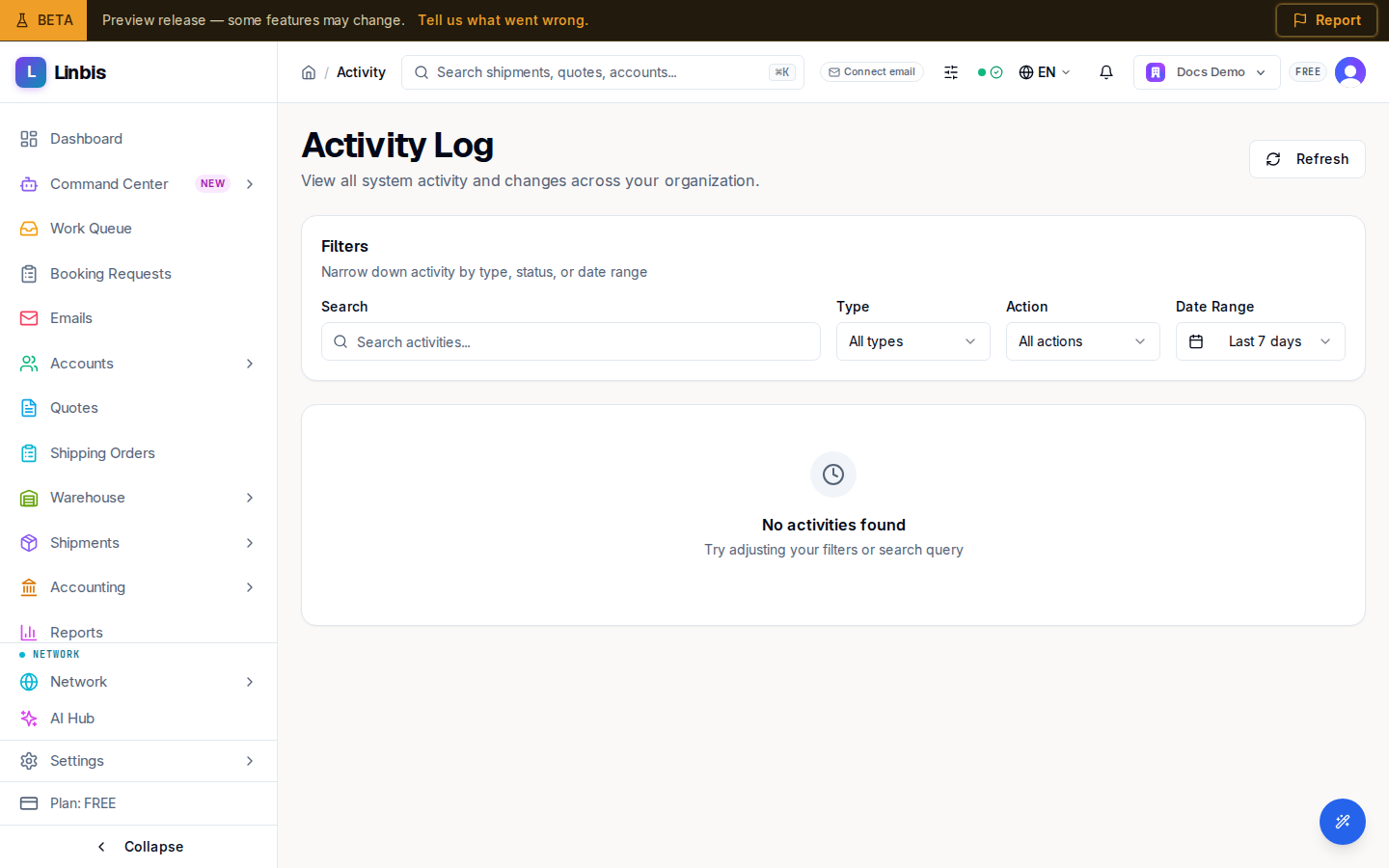
Activity is the organization-wide audit feed — the page titles itself Activity Log: "View all system activity and changes across your organization." It is read-only: every create, update, and delete lands here with who did it and when. A Refresh button reloads the feed.
Filters
The Filters card ("Narrow down activity by type, status, or date range") offers:
- Search — free text over the feed ("Search activities...").
- Type — All types, Shipment, Document, Email, or System. Entries are bucketed into these four automatically from what was touched.
- Action — All actions, Create, Update, Delete.
- Date Range — Today, Last 7 days (default), Last 30 days, Last 90 days, All time.
With filters active, a summary counts what you see ("Showing … of … activities") next to Clear filters.
Feed entries
Each entry is a card, not a table row:
- A generated title ("Shipment Created", "Booking Updated"...) and description — what was created or deleted, or which fields were updated on which entity.
- Two badges: the action (CREATE, UPDATE, DELETE) and the type (Shipment, Document, Email, System).
- Metadata: timestamp, the acting user, and the entity id.
There is no fixed event catalog — titles are derived from the audited change itself, so anything auditable can appear.
Empty and error states
- "No activities found" / "Try adjusting your filters or search query" — usually the date range.
- "Failed to load activities" with a Retry button on errors.
- Pagination at 10 per page: Previous / Next plus a "Showing X to Y" range line.
Related
- Command Center screen reference — the AI agents' own activity feed lives there, not here.
- Shipments screen reference