All Accounts
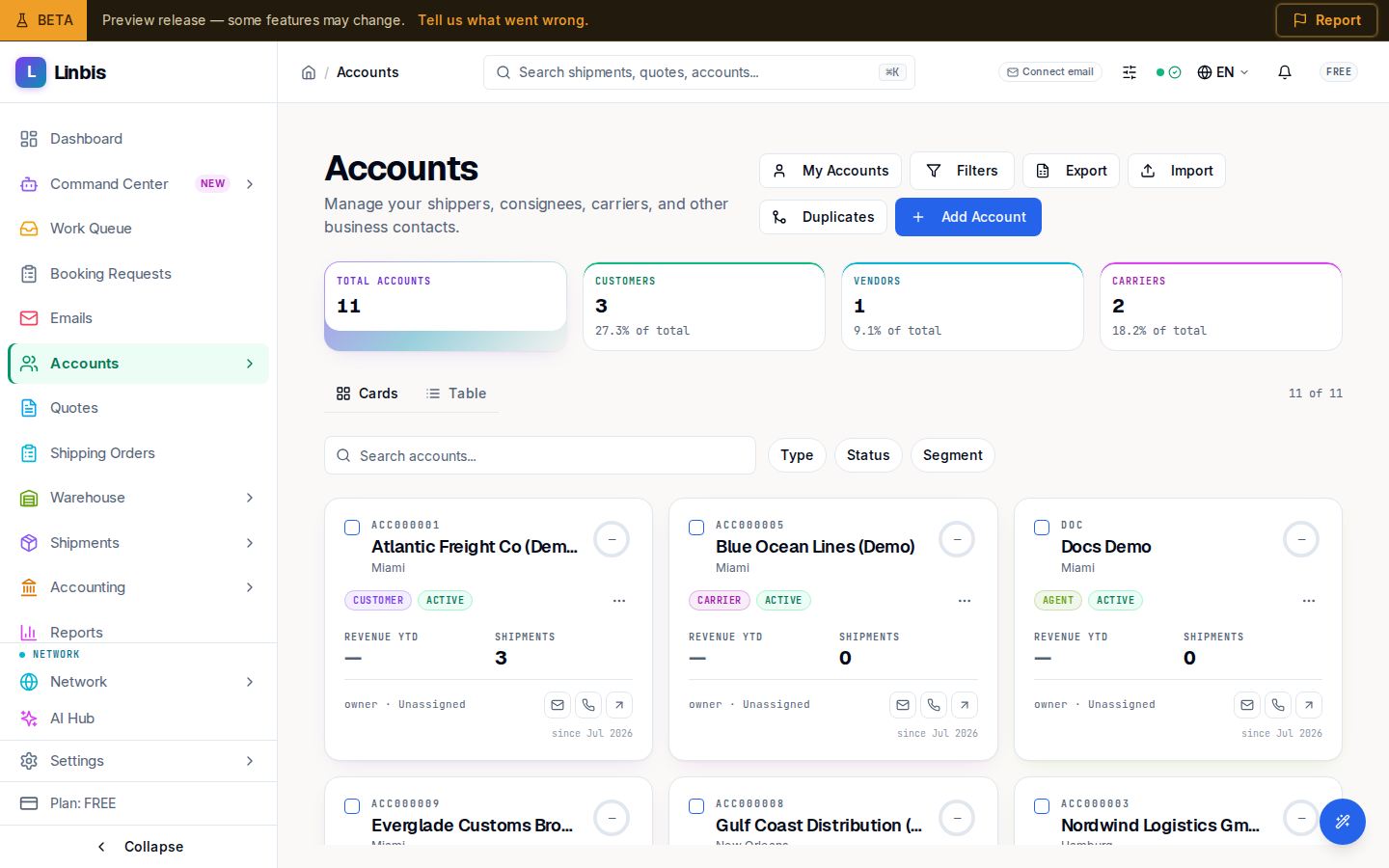
The main Accounts list — stat cards, Cards and Table views, search, Type / Status / Segment filters, and bulk merge.
All Accounts (/accounts) is your address book: "Manage your shippers, consignees,
carriers, and other business contacts." Every customer, vendor, carrier, and agent lives here,
and quotes, shipments, and invoices all point back to an account.
Header and stats
The header carries My Accounts (only the ones you own), Filters (the advanced modal), an export control, Import, Duplicates (merge candidates), and Add Account. Four stat cards total Total Accounts, Customers, Vendors, and Carriers.
Find and filter
Search with the Search accounts... box, then narrow by the Type, Status, and Segment chips (or Clear filters to reset). Toggle Cards and Table: cards surface Revenue YTD, Shipments, the owner (or Unassigned), and a health ring, with hover actions Email, Call, and Open; the table adds sortable columns with Default, CRM, and Compact presets.
Row and bulk actions
Each row offers View, Edit, and Delete. Select rows for Delete selected, or pick exactly two for Merge selected — the merge comparison chooses the surviving record. Clicking a row opens a slide-out panel; View opens the full account page.