Shipping Orders screen reference
The Shipping Orders list, statuses, filters, and the order detail page.
Shipping Orders manages customer shipping orders and their conversion into shipments.
List page
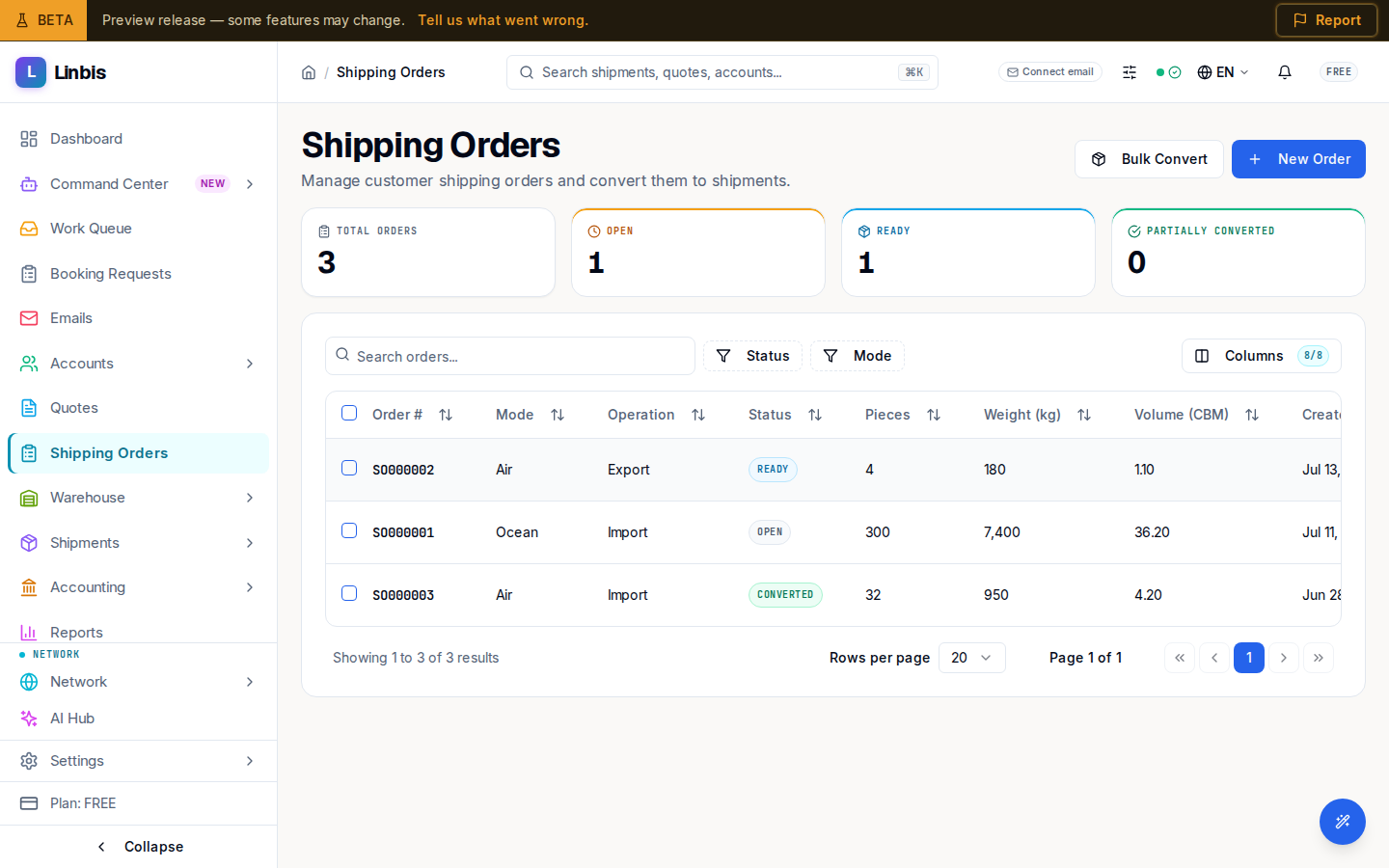
Header actions: Bulk Convert (opens the Import Data Wizard) and New Order. Stat tiles: Total Orders, Open, Ready, Partially Converted. Search box: "Search orders...".
| Column | Meaning |
|---|---|
| Order # | The order number |
| Mode | Air, Ocean, Ground, or Multimodal |
| Operation | Import, Export, Domestic, or Cross Trade |
| Status | See status list below |
| Pieces | Total pieces on the order |
| Weight (kg) | Gross weight |
| Volume (CBM) | Total volume |
| Created | Creation date |
Filters: Status and Mode. Column presets: Default, Compact.
Row menu: only View Details is active today — it opens the order's detail page, where the working actions live. The menu's other items are placeholders that don't do anything yet:
- Convert to Shipment — nothing happens from this menu. Convert from the detail page with Convert to Master Shipment instead.
- Cancel — nothing happens from this menu. Cancel from the detail page with Cancel Order instead.
- Edit — not wired up; shipping orders can't be edited from this control today.
Statuses
| Status | Meaning |
|---|---|
| Open | Order received, not yet confirmed |
| Ready | Confirmed and ready to convert |
| Converted | Fully converted to a shipment |
| Partially Converted | Some cargo converted, some remaining |
| Cancelled | Order cancelled |
Transitions: an Open order is confirmed to Ready (Confirm); a Ready or Partially Converted order completes to Converted; Cancel Order is available until the order is terminal.
Detail page
Tabs: Overview, Commodities (with count), Charges (with count), and Activity. The overview shows the order's routing and parties: Origin Port, Destination Port, Shipper, Consignee, Notify Party, Pieces, Gross Weight (kg), Volume (CBM), and Cargo Ready Date.
Header actions: Convert to Master Shipment (see the conversion how-to) plus the status actions Confirm, Complete, and Cancel Order. A converted order shows a banner with a View Shipment link; a cancelled order shows "This order was cancelled".