Shipments
Air Freight
The shipments list scoped to air — the Air Shipments view, MAWB and HAWB references, and the air-specific fields.
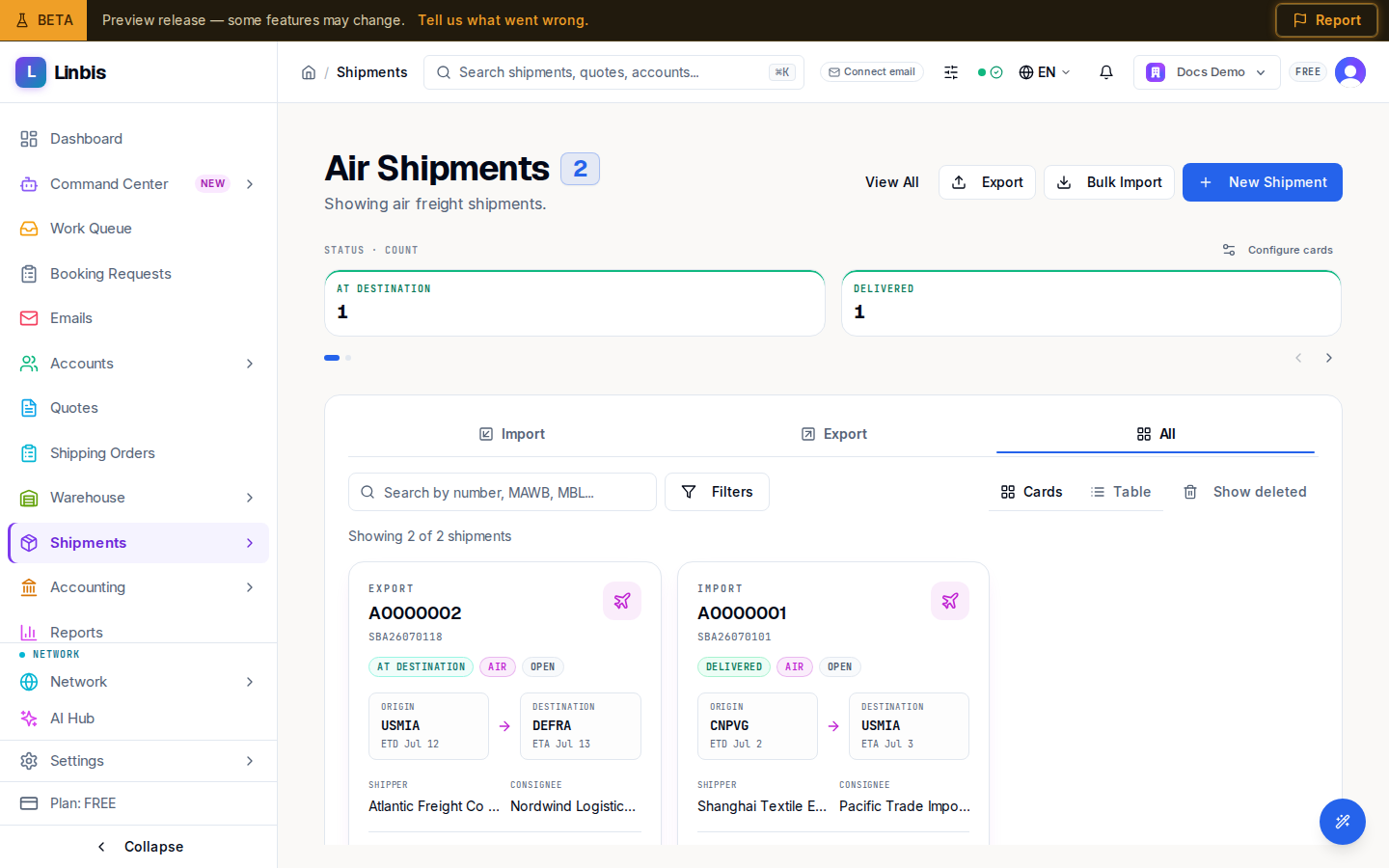
Shipments → Air Freight opens the shipments list scoped to air. The page becomes Air Shipments ("Showing air freight shipments.") with the scoped total next to the title and a View All button back to the unfiltered list.
What the mode scope changes
- Only air moves are listed, and the summary cards compute over air only.
- New Shipment starts the form with mode Air preselected.
- The Mode picker disappears from the advanced filter modal — the page is already scoped.
- Toolbar, direction tabs, views, bulk bar, and columns otherwise match All Shipments.
Air-specific fields
- The MAWB / MBL column (its header never changes) shows the MAWB — the Master Air Waybill. A house's own reference is its HAWB; in Cards view the number under the shipment number is the HAWB (or the MAWB for a master).
- The optional Flight column carries the flight number; the shipment detail's identifier strip shows MAWB/HAWB, ETD/ETA, and ATD/ATA.
- A MAWB is required for an air master, a HAWB for each house — see consolidating houses under a master.
Air pricing runs on chargeable weight — the greater of actual and dimensional weight — which feeds the rates in the Charges tab. The concept is explained in Master, house & chargeable weight.