Opportunities
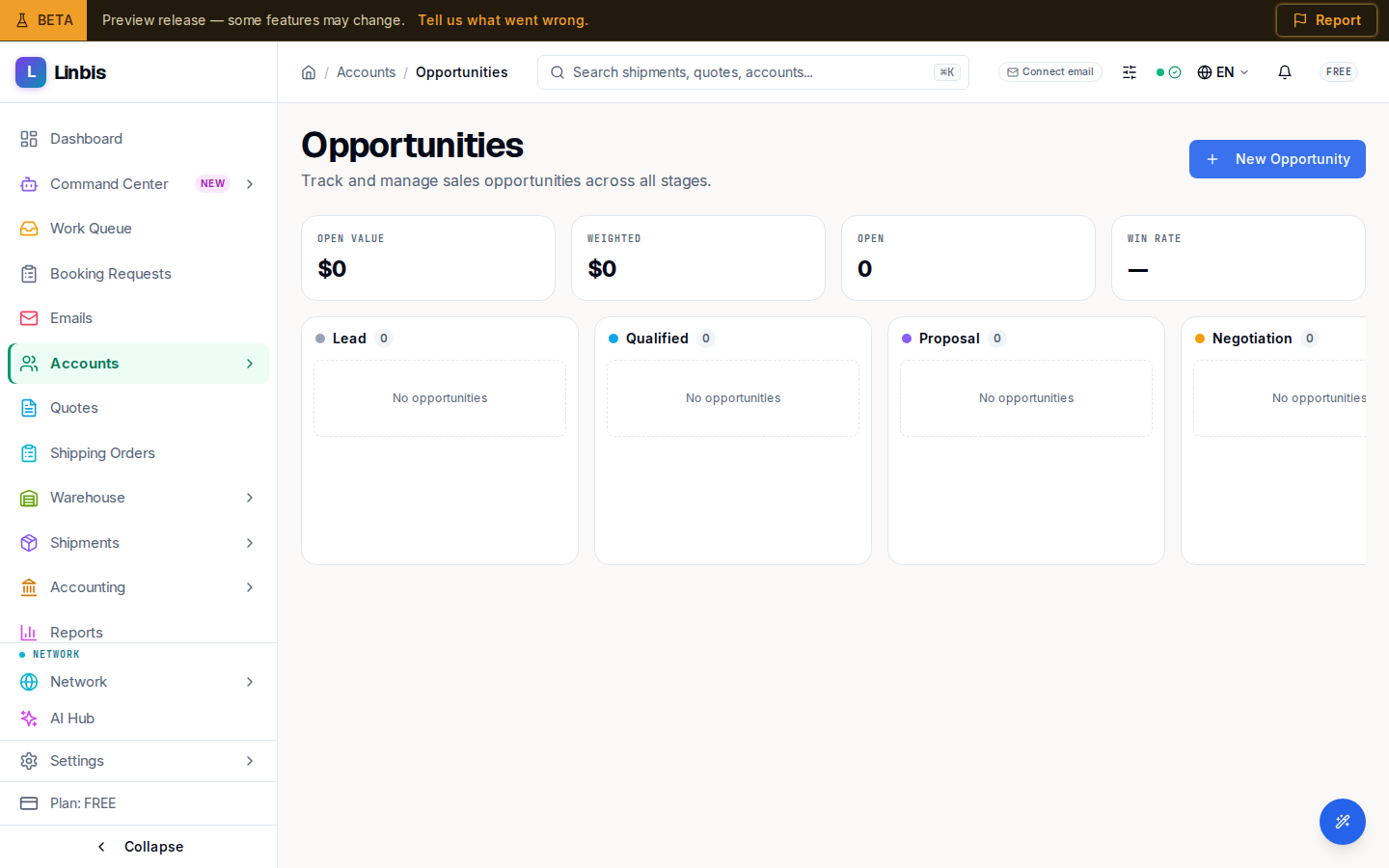
The sales pipeline kanban — drag deals across stages, watch the summary tiles, and open the New Opportunity dialog.
Opportunities (/accounts/opportunities) is the sales pipeline: "Track and manage sales
opportunities across all stages." It's a kanban board — drag a deal between columns as it
progresses toward a close.
Stages and summary
Columns run Lead → Qualified → Proposal → Negotiation → Won / Lost, plus a Stale lane for deals that have gone quiet. Summary tiles above the board show Open value, Weighted (value weighted by probability), the Open count, and Win rate. Use Hide Won/Lost to focus on live deals.
New Opportunity
New Opportunity opens a dialog: pick the Account, give it a Title, set the Stage and Source (Referral, Trade Show, Website, Cold Call, Inbound Email, Existing Customer, Partner, Other), then enter Estimated Revenue, Probability (%), and an Expected Close Date. Finish with Create Opportunity. Opportunities and their tasks also appear per account under the account's Sales tab.
Related
- Work an opportunity — stage changes, Mark as Lost, and revert
- Tasks
- Accounts screen reference
- All Accounts