Load Board
Find and post available loads across the network — filter by country, equipment, and pickup dates; post a load or respond to an open one.
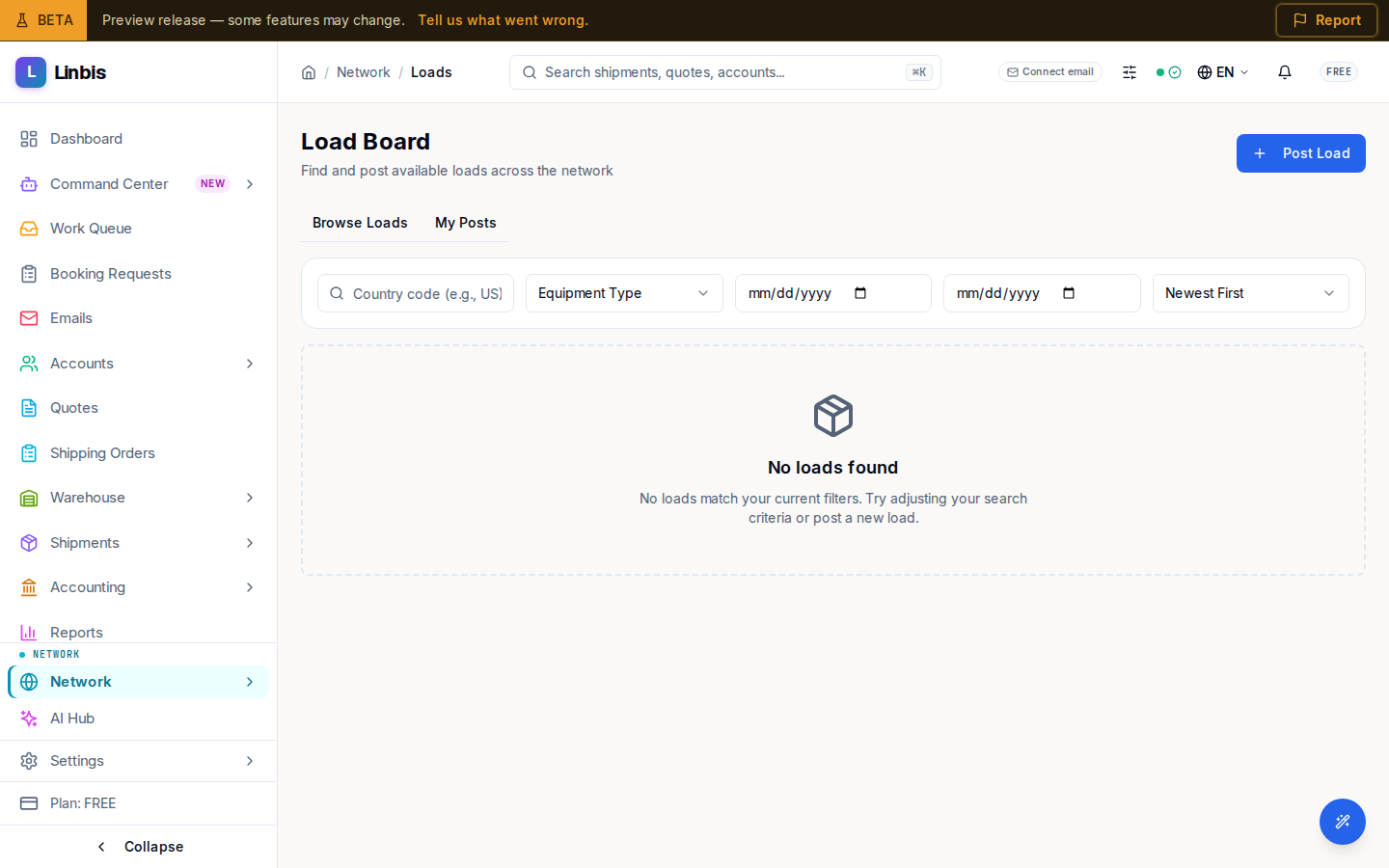
Load Board is where available loads circulate across the network. The subtitle: "Find and post available loads across the network." Post Load (top right) publishes yours.
Browse and filter
Two tabs — Browse Loads and My Posts — split what others posted from what you did. The filter bar takes a country code (for example, US), an Equipment Type (or All Equipment), a pickup date range, and a Sort by: Newest First, Pickup Date, Highest Budget, or Trust Score. Active filters show a "Filters active — N results" line and a Clear filters link.
Each load card shows the pickup-to-delivery route and flags Hazmat and Oversize cargo, the budget, and the poster's trust score. An OPEN load offers Respond. When nothing matches you see "No loads found"; under My Posts with nothing posted, "No posted loads."
Post and respond
Post Load opens a "Post a Load" panel; Respond on an open load opens "Respond to Load." Long lists page with a Previous / Next control.
Related
- Marketplace — capacity alerts, trade lanes, and rate bulletins
- Rate Requests
- Network screen reference