Approvals queue
The Command Center Approvals tab — the decision queue where you approve, edit, or reject what the AI agents propose.
Command Center → Approvals is the decision queue for agent actions that need a human before they run. Nothing in this queue executes until you decide.
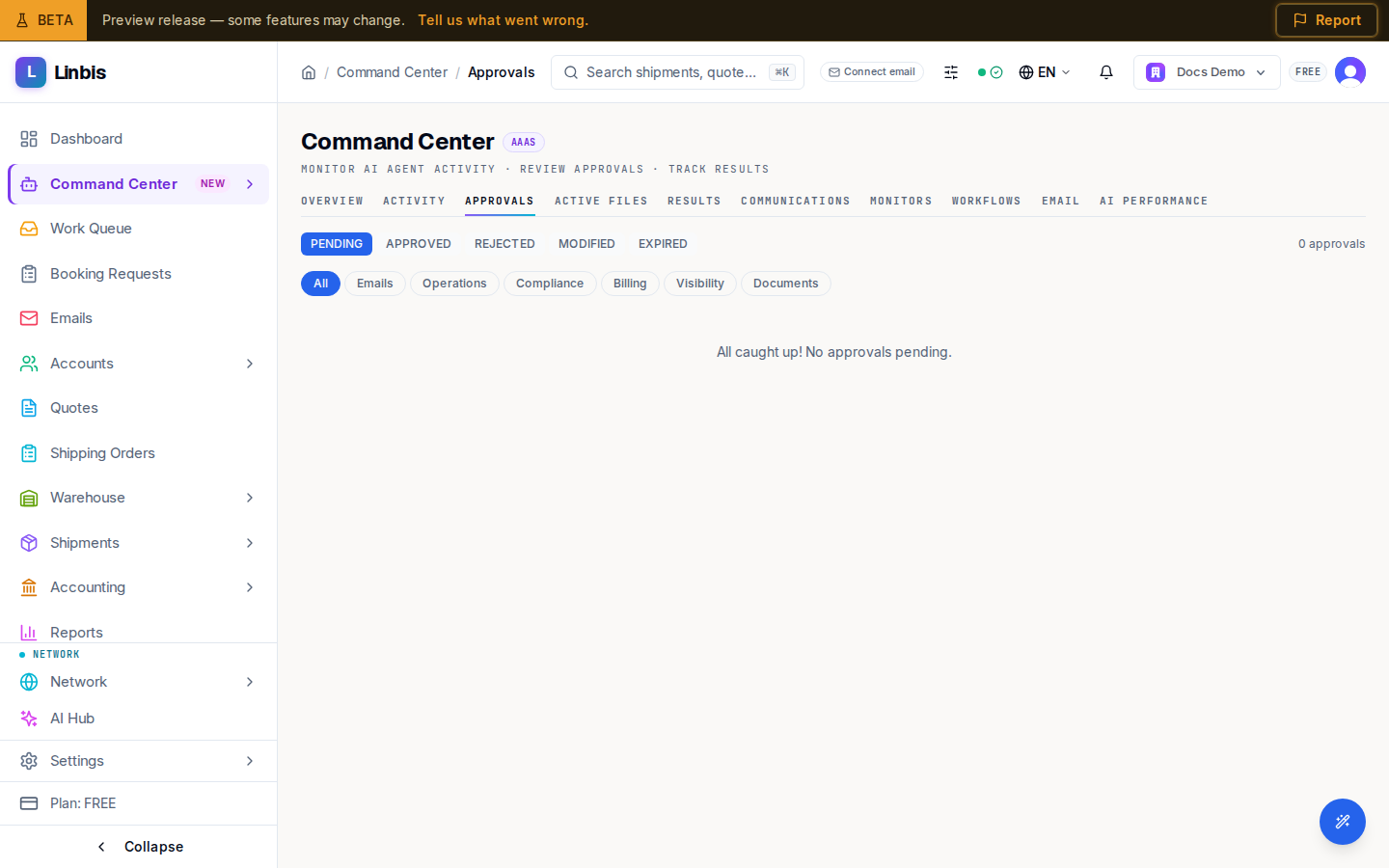
Filters
- Status: PENDING (the default), APPROVED, REJECTED, MODIFIED, EXPIRED.
- Agent tabs: All, Emails, Operations, Compliance, Billing, Visibility, Documents.
The approval card
Each pending item is a card with the proposing agent, a confidence bar, the trigger (for example New Email, Delay Detected, Payment Overdue), and collapsible Details and Impact sections. Actions:
- Approve — executes immediately, no confirmation dialog. For email drafts the button reads
Approve & Send; for notifications, Approve & Notify. Keyboard:
Enter. - Reject — one click, also immediate. Keyboard:
Shift+Enter. - Edit — opens the modify dialog to adjust parameters, then Submit Modified.
- Bulk: tick several cards and use Approve all / Reject all; a result line reports the approved, rejected, and failed counts.
The empty state is a good sign: "All caught up! No approvals pending."
For a worked walkthrough — including what a modified approval looks like — follow Approve, modify, or reject an agent action. What an agent may do on its own versus what lands here is governed by its Trust autonomy level, shown on the Overview workforce tiles.