AP Payments
The vendor payments list and the Pay Bills flow — capture money out and allocate it across open bills.
Accounting → Payables → AP Payments lists every payment made to vendors ("Manage accounts payable payments") — the money-out mirror of AR Payments.
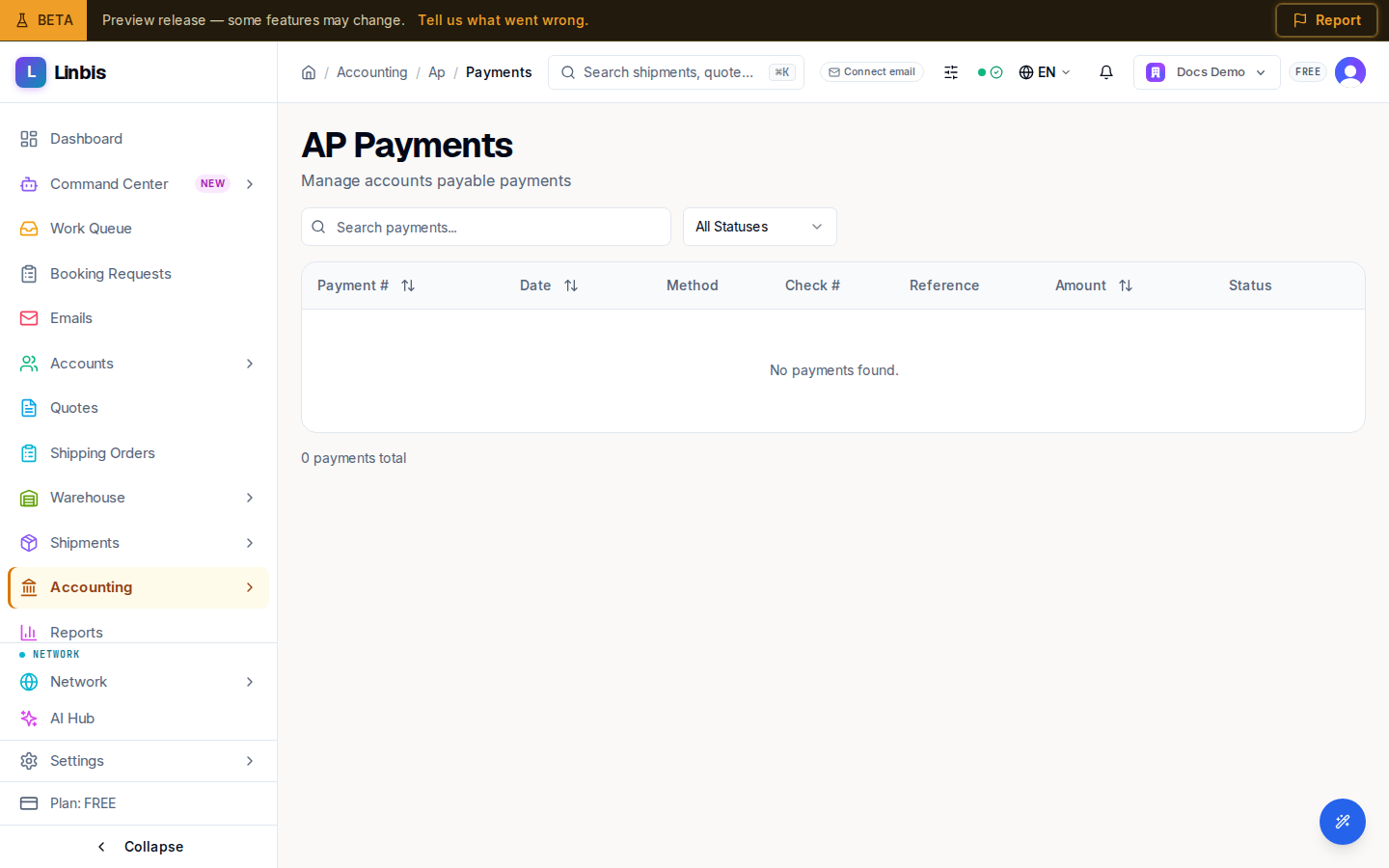
Columns
Payment #, Date, Method, Check #, Reference, Amount, Status. Search with "Search payments..." or filter by status.
Statuses
Pending → Approved → Processed → Cleared, plus Returned.
The Pay Bills flow
Recording a vendor payment is the Pay Bills form (route /accounting/ap/payments/pay):
- Pick the Vendor — their open bills load below.
- Fill Payment Date, Payment Method, the check/reference numbers, the Amount, the Bank Account the money leaves from, and an optional memo.
- Allocate in Bill Allocations — auto-apply oldest-first or type each amount yourself.
- Check the Payment Summary and Save Payment.
Each allocated bill moves to Partial or, at full balance, Paid.
Row menu
A payment's row menu lists View Details, Approve (on Pending), Process (on Pending or Approved), and Void — but these entries are currently inactive placeholders on the list. Per-payment actions (apply credit, mark a returned payment, void) are done from the AP payment detail page.