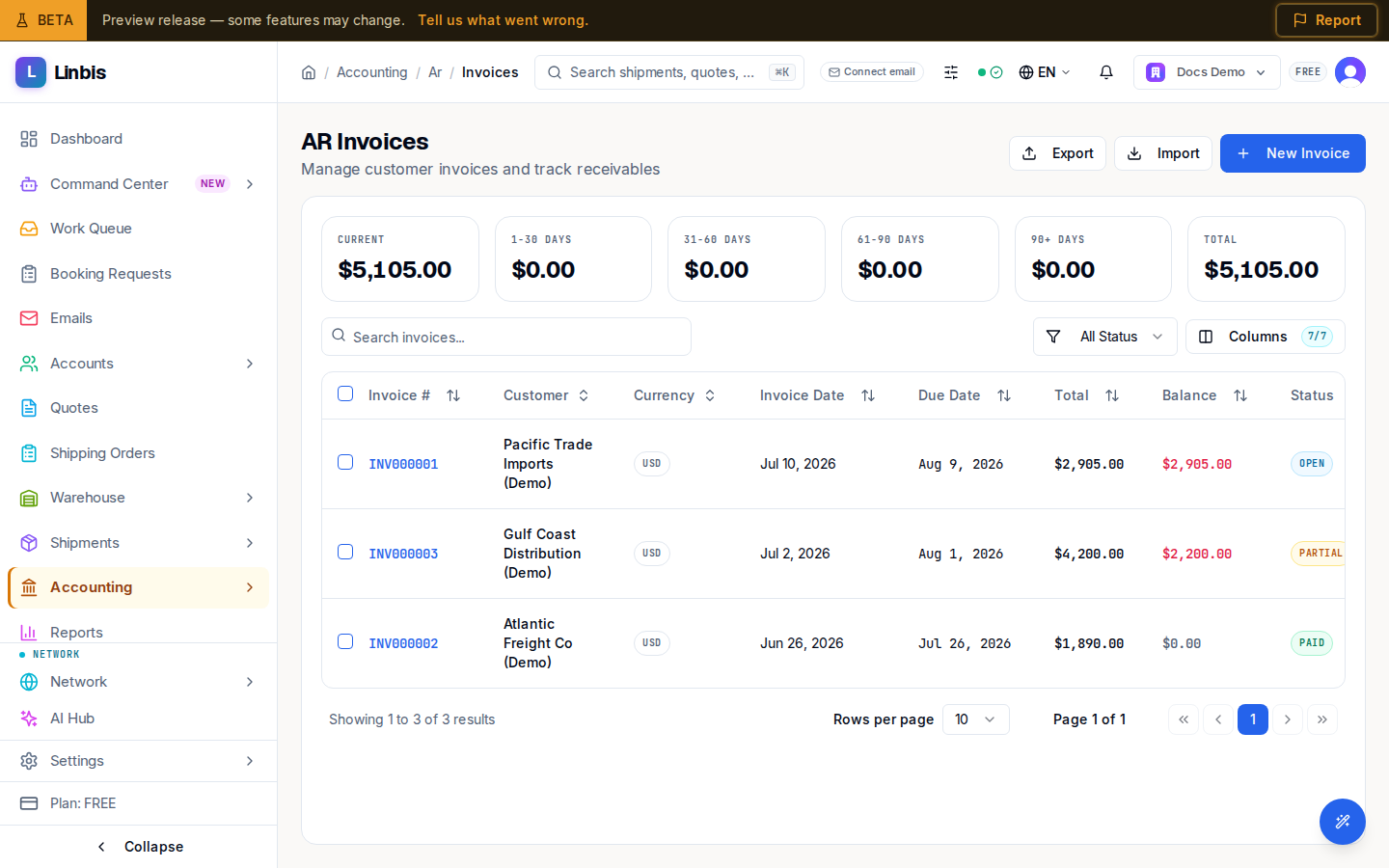
Invoices (AR)
The AR Invoices list — every customer invoice with aging tiles, balances, statuses, and post/void actions.
Accounting → Receivables → Invoices is the AR invoice list — every customer invoice in one place ("Manage customer invoices and track receivables"). Aging tiles across the top break the receivable down from Current through 90+ Days plus a Total.
Columns
Invoice #, Customer, Currency, Invoice Date, Due Date (overdue shown in red), Total, Balance, Status — and a QuickBooks sync column when the QuickBooks integration is connected. Filter by status (All Status, Draft, Open, Partial, Paid, Voided) or search with "Search invoices...".
Statuses
Draft (editable, not yet in the ledger) → Open (posted) → Partial (some payment applied) → Paid, or Voided.
Actions
- Header: New Invoice, plus Export / Import.
- Row menu: View Details, Post Invoice (drafts only), Download PDF, and Void Invoice (open/partial — the Void Invoice dialog asks for a reason and warns "This action cannot be undone").
- Bulk: select drafts and Post Selected.
Opening an invoice shows the detail page with the tabs Line Items, Payments, Forms, Communications, and Activity.