Settlements
Agent Settlements — statements that net an agent's receivables and payables over a period, then approve and post to the GL.
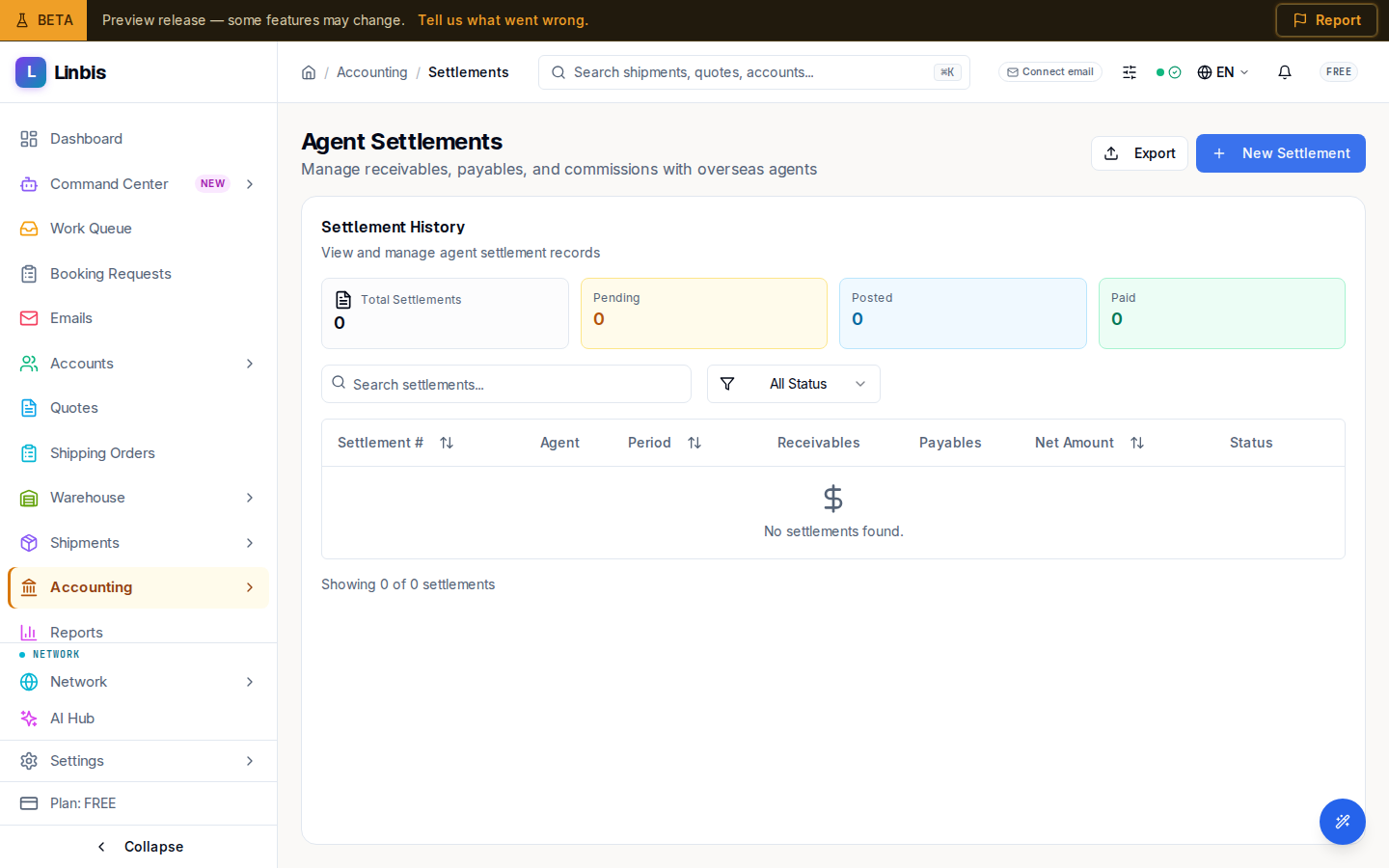
Accounting → Agents & Commissions → Settlements opens the Agent Settlements page ("Manage receivables, payables, and commissions with overseas agents"). The main card, Settlement History, lists every settlement record.
Columns
Settlement #, Agent, the period start, Receivables, Payables, Net Amount, and Status. Filter by status: All Status, Draft, Pending Approval, Approved, Posted, Paid, Void.
Creating a settlement
New Settlement opens the Create Agent Settlement wizard — "Generate a settlement statement for an agent covering a specific period." Pick the agent and the period; the wizard nets what you owe the agent against what they owe you.
Row actions
- View Details opens the settlement.
- Approve — on a Pending Approval settlement.
- Post to GL — on an Approved settlement, which writes the journal entries.
- Void — the Void Settlement dialog asks for a reason ("This action cannot be undone"); unavailable once Void or Paid.
Export downloads the list.