Products & Charges
The Products & Services catalog — charge codes used on shipments, invoices, and bills, with sell and cost prices.
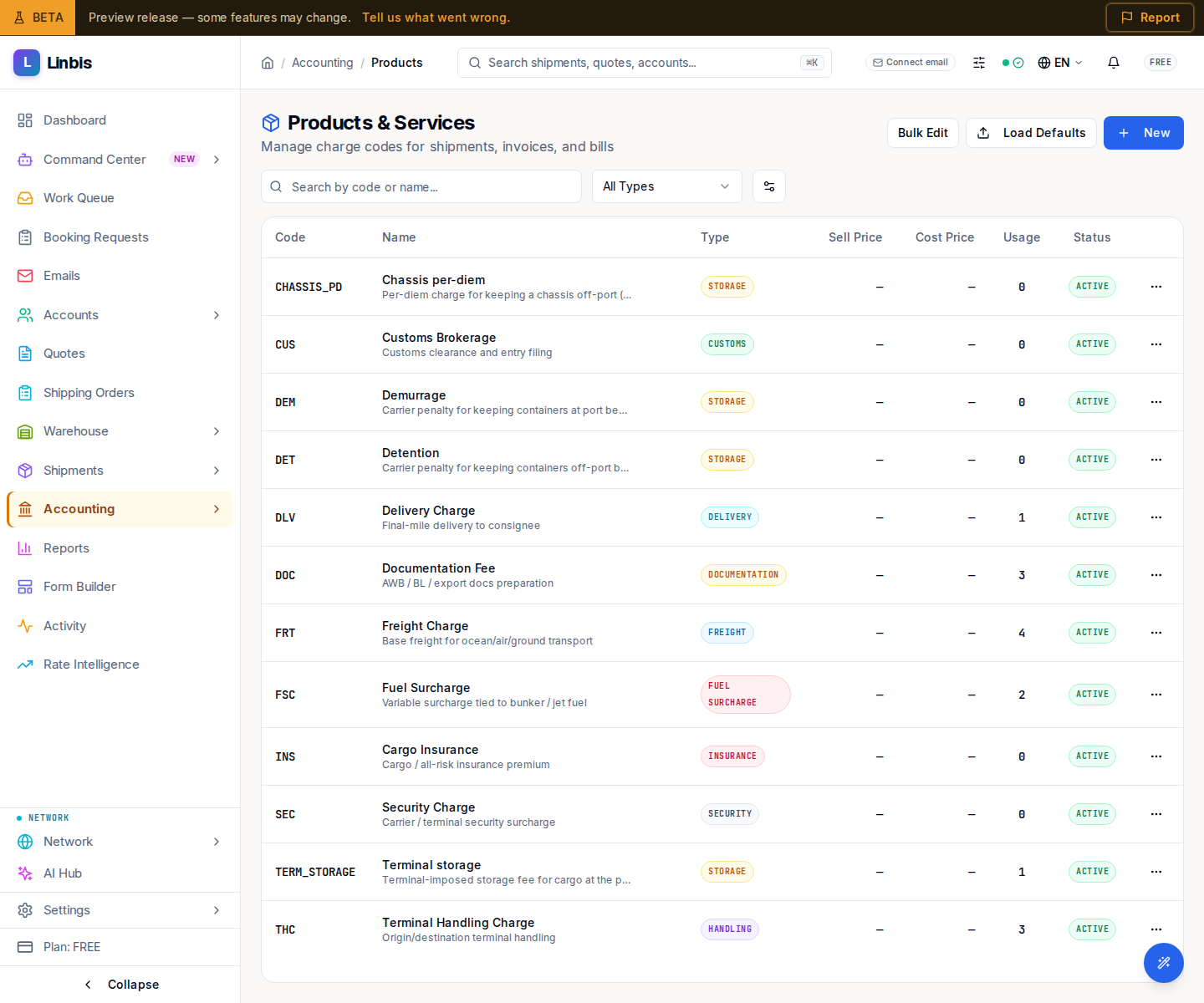
Accounting → Settings → Products & Charges opens the screen titled Products & Services ("Manage charge codes for shipments, invoices, and bills"). These charge codes are the reusable line items that flow onto shipments, invoices, and bills.
Columns
Code, Name, Type, Sell Price, Cost Price, Usage, and Status. Filter with "Search by code or name...", by charge Type (All Types), and toggle Include inactive codes under View Options.
Actions
- Header: New opens the charge-code form; Load Defaults seeds the standard freight codes; Bulk Edit (Exit Selection to leave) selects several for a batch change.
- Row: Edit, Duplicate, View Usage, and activate/deactivate.
Usage
View Usage opens a dialog summarizing Total Revenue, Total Expense, and Profit, with a Usage Breakdown across Charges, Invoice Lines, Bill Lines, and Total Usage — so you can see how much a code has been used before changing or retiring it.